Put a different footer on first page of Word document
Updated: February 24, 2009 • By Lena Shore
Filed under: Tutorials

Do you know how to put a footer on 2 pages of a paper but not on the first paper?
Easy!
- First, view your footers by going to: View –> Footer
- Type whatever you want in your footer.
- Go to Format –> Document and check Different first page and select “OK”
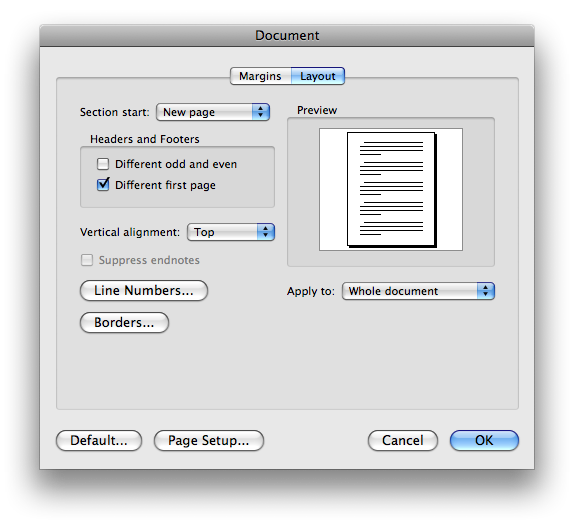
- Now you can adjust your first page to be a different footer or blank by editing your footers.
