Exporting Mailing Lists to Make Mailing Labels
Question:
Do you know of a software patch that allows the exporting of Macintosh Address Book contacts to run mailing labels?
Answer:
I can help! To learn how to export your addresses out of your Address Book app, you can read this article I wrote a while back: How to Get Your Address Book into Excel for a Mail Merge. There are some freebie scripts you can get outlined in the tutorial.
However… you can actually print mailing labels from your address book. It’s a little known feature, probably because it isn’t obvious and just a little bit hidden. Here is how you do it:
- Open your Address Book and make a new group of contacts for your mailing list or just Shift-Click or Command-Click to highlight the people you want to make labels for.
- Now, go to File –> Print.
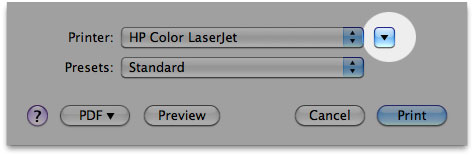
- Click the down arrow to change your world of options.
- Note the settings. If you select the “Layout” button, you can choose from a HUGE selection of standard Avery labels among other settings. Have fun printing!
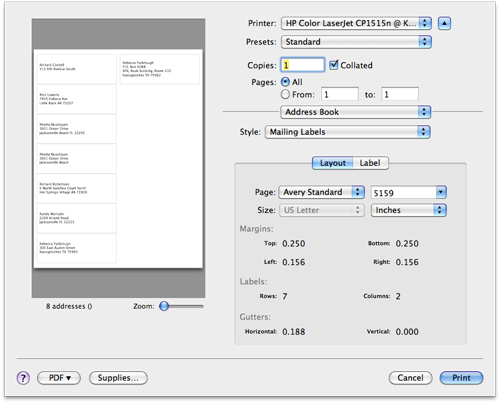
- When you are done with your settings, put the appropriate paper in your printer and hit “Print”.
Poke around a little and note that in addition to mailing labels, you can also print envelopes, lists, and a pocket address book. Happy printing! 🙂
