Macintosh: Play Tetris from your terminal
Updated: March 10, 2009 • By Lena Shore
Filed under: Macintosh
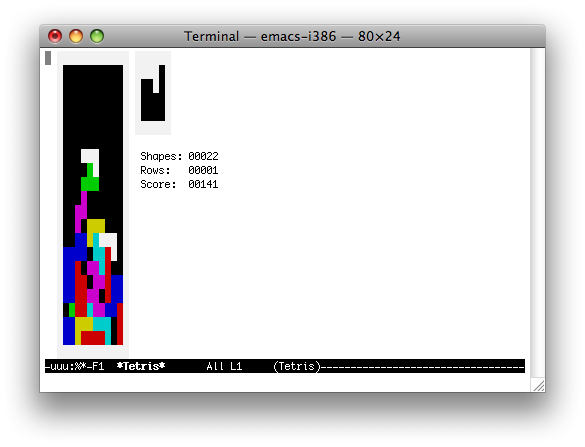
Did you know you can play Tetris from within your terminal? It’s a bored geek’s wildest dreams!
- Launch Terminal.
- Type emacs and press Return.
- Press Escape, then type x.
- Type tetris.
Use the arrow keys to rotate blocks and the space bar to drop blocks to play. When you are done, a highscore will be generated at /tmp. You can then exit emacs by pressing Control-X followed by Control-C.
Terminal Tetris
Other games
I also hear instead of typing “tetris” you can type in any of these, but I haven’t tried them: doctor, hanoi, gomoku, blackbox, mpuz, 5×5, decipher, dunnet, lm, life, morse-region, pong, solitaire, studlify-region.
